Category: Laravel

  • afterCommit(): Dispatch Queue Jobs Only After the Transaction Commits

    You dispatch a queue job right after saving a model. The job fires, tries to look up the record… and it’s not there. The transaction hasn’t committed yet.

    This is one of those bugs that works fine locally (where your database has near-zero latency) but bites you in production with read replicas or under load.

    The Problem

    Consider this common pattern:

    DB::transaction(function () use ($report) {
        $report->status = 'generating';
        $report->save();
    
        GenerateReport::dispatch($report);
    });
    

    The job gets dispatched inside the transaction. Depending on your queue driver, the job might start executing before the transaction commits. The job tries to find the report with status = 'generating', but the database still shows the old state.

    The Fix: afterCommit()

    Laravel provides afterCommit() on dispatchable jobs to ensure the job only hits the queue after the wrapping transaction commits:

    DB::transaction(function () use ($report) {
        $report->status = 'generating';
        $report->save();
    
        GenerateReport::dispatch($report)->afterCommit();
    });
    

    Now the job waits until the transaction successfully commits before being pushed to the queue. If the transaction rolls back, the job never dispatches at all.

    Setting It Globally

    If you want all your jobs to behave this way by default, add the property to your job class:

    class GenerateReport implements ShouldQueue
    {
        use Dispatchable, InteractsWithQueue, Queueable, SerializesModels;
    
        public $afterCommit = true;
    
        // ...
    }
    

    Or set it in your queue.php config for the entire connection:

    // config/queue.php
    'redis' => [
        'driver' => 'redis',
        'connection' => 'default',
        'queue' => 'default',
        'after_commit' => true,  // All jobs wait for commit
    ],
    

    When You Actually Need This

    This pattern is critical when:

    • You use read replicas — the replica might not have the committed data yet
    • Your job uses SerializesModels — it re-fetches the model from the database when deserializing
    • You dispatch jobs that depend on the data you just saved in the same transaction
    • You’re dispatching webhook notifications — the external system might call back before your DB commits

    The Gotcha

    If there’s no wrapping transaction, afterCommit() dispatches immediately — same as without it. It only delays when there’s an active transaction to wait for.

    This is a good thing. It means you can set $afterCommit = true on all your jobs without worrying about jobs that are dispatched outside transactions.

    One of those small changes that prevents a whole class of race condition bugs in production.

  • Read Replica Lag Breaks Laravel Queue Jobs Before handle() Runs

    You dispatch a queue job right after saving a model. The job picks it up in milliseconds. And then — ModelNotFoundException.

    The model definitely exists. You just created it. You can query it manually. But the queue worker says otherwise.

    The Culprit: Read Replicas

    If your database uses read replicas (and most production setups do), there’s a lag between the primary and the replicas. Usually milliseconds, sometimes longer under load.

    Laravel’s SerializesModels trait only stores the model’s ID when the job is serialized. When the worker deserializes it, it runs a fresh query — against the read replica. If the replica hasn’t caught up yet, the model doesn’t exist from the worker’s perspective.

    The cruel part: this happens before your handle() method runs. Your retry logic never fires because the job fails during deserialization.

    The Fix: afterCommit()

    Laravel has a built-in solution. Add afterCommit to your job:

    class GenerateInvoice implements ShouldQueue
    {
        use Dispatchable, InteractsWithQueue, Queueable, SerializesModels;
    
        public $afterCommit = true;
    
        public function handle(): void
        {
            // This now runs after the transaction commits
            // and the replica has had time to sync
        }
    }

    Or dispatch with the method:

    GenerateInvoice::dispatch($invoice)->afterCommit();

    Other Options

    If afterCommit isn’t enough (replicas can still lag after commit), you have two more tools:

    // Option 1: Add a small delay
    GenerateInvoice::dispatch($invoice)->delay(now()->addSeconds(5));
    
    // Option 2: Skip missing models instead of failing
    public $deleteWhenMissingModels = true;

    Option 2 is a silent skip — the job just disappears. Use it only when the job is truly optional (like sending a notification for a model that might get deleted).

    The Lesson

    If you’re dispatching queue jobs immediately after writes and seeing phantom ModelNotFoundException errors, check your database topology. Read replicas + SerializesModels + fast workers = a race condition that only shows up under load. afterCommit() is the cleanest fix.

  • Translation Placeholders: Enable Word Order Flexibility for Localizers

    When defining translation strings in Laravel, always use named placeholders (like :count or :percent) instead of positional ones or manual string concatenation.

    
    // Bad
    __('You have ' . $count . ' notifications');
    
    // Good
    __('You have :count notifications', ['count' => $count]);
    

    Different languages have varying word orders; named placeholders allow translators to move variables within the sentence without breaking the logic or requiring code changes for each locale.

  • Frontend/Backend Parity: Treat Your UI Logic as the Specification

    When duplicating complex UI validation or calculation logic on the backend, treat the frontend component as the source of truth. Copy the logic line-by-line into your PHP services, and include comments with the original file and line numbers.

    
    // Replicating logic from ProductForm.vue:142
    if ($data['price'] > 0) {
        // ...
    }
    

    This makes future parity checks easier and ensures your backend handles edge cases exactly as the user experience defines them. It also serves as great documentation for why certain backend checks exist.

  • Stop Passing App::getLocale() to Laravel’s __() Helper

    I’ve seen this pattern in multiple Laravel codebases — a translation helper that manually fetches the locale before passing it to the translation function:

    // Don't do this
    $locale = App::getLocale();
    $label = __('orders.status_label', [], $locale);

    That third parameter is unnecessary. The __() helper already calls App::getLocale() internally when no locale is provided.

    How __() Actually Works

    Under the hood, __() delegates to the Translator’s get() method:

    // Illuminate\Translation\Translator::get()
    public function get($key, array $replace = [], $locale = null, $fallback = true)
    {
        $locale = $locale ?: $this->locale;
        // ...
    }

    When $locale is null (the default), it uses $this->locale — which is the application locale set by App::setLocale(). It’s the same value App::getLocale() returns.

    So the clean version is just:

    // Do this instead
    $label = __('orders.status_label');

    When You DO Need the Locale Parameter

    The third parameter exists for a reason — when you need a translation in a specific locale that differs from the current one:

    // Sending an email in the user's preferred language
    $subject = __('emails.welcome_subject', [], $user->preferred_locale);
    
    // Generating a PDF in a specific language regardless of current request
    $label = __('invoice.total', [], 'ja');

    These are legitimate uses. The anti-pattern is fetching the current locale just to pass it right back.

    The Compound Version

    This gets worse when the manual locale fetch spreads across a method:

    // This entire method is doing unnecessary work
    public function getLabels()
    {
        $locale = App::getLocale();
        
        return [
            'name'    => __('fields.name', [], $locale),
            'email'   => __('fields.email', [], $locale),
            'phone'   => __('fields.phone', [], $locale),
            'address' => __('fields.address', [], $locale),
        ];
    }

    Every single $locale parameter is redundant. This should be:

    public function getLabels()
    {
        return [
            'name'    => __('fields.name'),
            'email'   => __('fields.email'),
            'phone'   => __('fields.phone'),
            'address' => __('fields.address'),
        ];
    }

    Same output, less noise, fewer places to introduce bugs. The framework already handles locale resolution — let it do its job.

  • The Hidden public/hot File in Laravel Mix HMR

    You run npm run hot and Laravel Mix starts a webpack dev server with Hot Module Replacement. Your browser auto-refreshes when you edit Vue components or CSS. Magic. But have you ever wondered how Laravel knows to serve assets from the dev server instead of the compiled files in public/?

    The answer is a tiny file you’ve probably never noticed: public/hot.

    What public/hot Does

    When you run npm run hot, Laravel Mix creates a file at public/hot. It contains the dev server URL — typically http://localhost:8080.

    Laravel’s mix() helper checks for this file on every request:

    // Simplified version of what mix() does internally
    if (file_exists(public_path('hot'))) {
        $devServerUrl = rtrim(file_get_contents(public_path('hot')));
        return $devServerUrl . $path;
    }
    
    // No hot file? Serve from mix-manifest.json as normal
    return $manifest[$path];

    So when public/hot exists, mix('js/app.js') returns http://localhost:8080/js/app.js instead of /js/app.js?id=abc123.

    When This Bites You

    The classic gotcha: you kill the dev server with Ctrl+C, but the public/hot file doesn’t get cleaned up. Now your app is trying to load assets from a server that doesn’t exist.

    # Symptoms: blank page, console full of ERR_CONNECTION_REFUSED
    # Fix:
    rm public/hot

    Add it to your troubleshooting checklist. If assets suddenly stop loading after you were running HMR, check if public/hot is still hanging around.

    Why This Matters for Teams

    The public/hot file should always be in your .gitignore. If someone accidentally commits it, everyone else’s app will try to load assets from localhost:8080 — which won’t be running on their machines.

    # .gitignore
    public/hot

    Most Laravel projects already have this, but if you bootstrapped your project a long time ago or generated your .gitignore manually, double-check.

    It’s a tiny file with a simple job, but understanding it saves you 20 minutes of confused debugging when HMR stops working or your assets vanish after killing the dev server.

  • Per-Step Try/Catch: Don’t Let One Bad Record Kill Your Entire Batch

    Per-Step Try/Catch: Don’t Let One Bad Record Kill Your Entire Batch

    Last week I had an Artisan command that processed about 2,000 records. The first version used a transaction wrapper — if any single record failed, the whole batch rolled back. Clean, right?

    Except when record #1,847 hit an edge case, all 1,846 successful records got nuked. That’s not clean. That’s a landmine.

    The Fix: Per-Step Try/Catch

    Instead of wrapping the entire loop in one big try/catch, wrap each iteration individually:

    $records->each(function ($record) {
        try {
            $this->processRecord($record);
            $this->info("✅ Processed #{$record->id}");
        } catch (\Throwable $e) {
            $this->error("❌ Failed #{$record->id}: {$e->getMessage()}");
            Log::error("Batch process failed", [
                'record_id' => $record->id,
                'error' => $e->getMessage(),
            ]);
        }
    });

    Why This Matters

    The all-or-nothing approach feels safer because it’s “atomic.” But for batch operations where each record is independent, it’s actually worse. One bad record shouldn’t hold 1,999 good ones hostage.

    The status symbols (✅/❌) aren’t just cute either. When you’re watching a command chug through thousands of records, that visual feedback tells you instantly if something’s going sideways without reading log files.

    When to Use Which

    Use transactions (all-or-nothing) when records depend on each other. Think: transferring money between accounts, or creating a parent record with its children.

    Use per-step try/catch when each record is independent. Think: sending notification emails, syncing external data, or migrating legacy records.

    The pattern is simple but I’ve seen teams default to transactions for everything. Sometimes the safest thing is to let the failures fail and keep the successes.

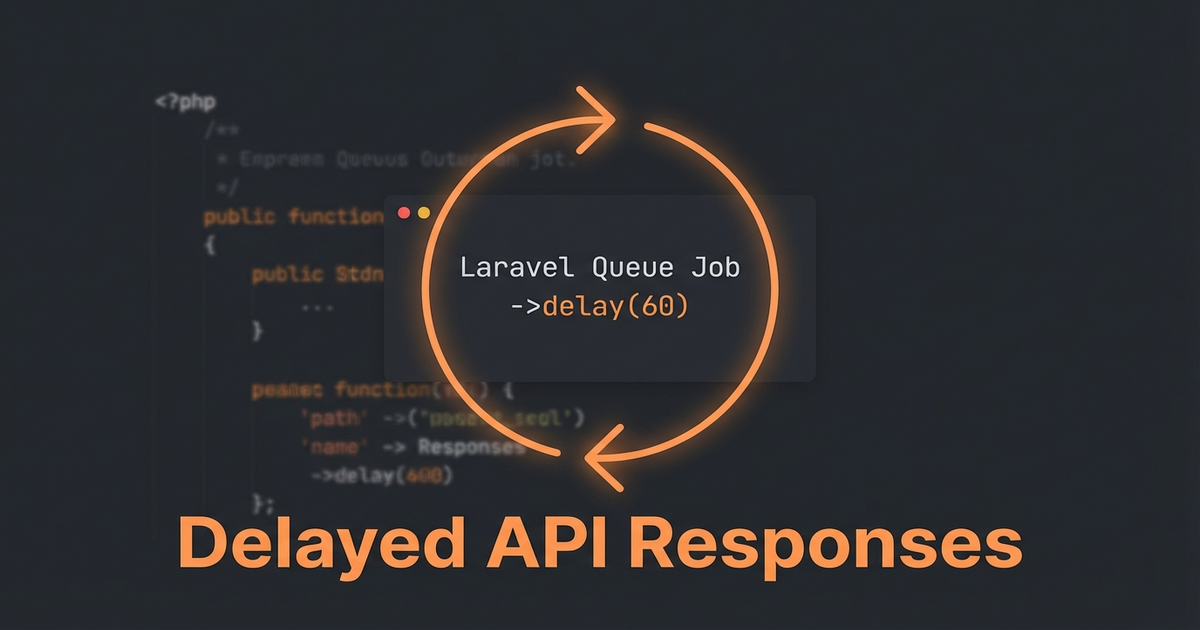
  • Handling Delayed API Responses with Laravel Jobs and Callbacks

    Handling Delayed API Responses with Laravel Jobs and Callbacks

    Some third-party APIs don’t give you an instant answer. You send a request, they return "status": "processing", and you’re expected to poll until the result is ready. Payment gateways do this a lot — especially for bank transfers and manual review flows.

    Here’s the pattern that’s worked well for handling this in Laravel.

    The Problem

    Your controller sends a request to an external API. Instead of a final result, you get:

    {
        "transaction_id": "txn_abc123",
        "status": "processing",
        "estimated_completion": "30s"
    }

    You can’t block the HTTP request for 30 seconds. But you also can’t just ignore it — your workflow depends on the result.

    The Solution: Dispatch a Polling Job

    // In your service
    public function initiatePayment(Order $order): void
    {
        $response = Http::post('https://api.provider.com/charge', [
            'amount' => $order->total,
            'reference' => $order->reference,
        ]);
    
        if ($response->json('status') === 'processing') {
            PollPaymentStatus::dispatch(
                transactionId: $response->json('transaction_id'),
                orderId: $order->id,
                attempts: 0,
            )->delay(now()->addSeconds(10));
        }
    }

    The Polling Job

    class PollPaymentStatus implements ShouldQueue
    {
        use Dispatchable, InteractsWithQueue, Queueable;
    
        private const MAX_ATTEMPTS = 10;
        private const POLL_INTERVAL = 15; // seconds
    
        public function __construct(
            private readonly string $transactionId,
            private readonly int $orderId,
            private readonly int $attempts,
        ) {}
    
        public function handle(): void
        {
            $response = Http::get(
                "https://api.provider.com/status/{$this->transactionId}"
            );
    
            $status = $response->json('status');
    
            if ($status === 'completed') {
                $this->onSuccess($response->json());
                return;
            }
    
            if ($status === 'failed') {
                $this->onFailure($response->json('error'));
                return;
            }
    
            // Still processing — re-dispatch with backoff
            if ($this->attempts >= self::MAX_ATTEMPTS) {
                $this->onTimeout();
                return;
            }
    
            self::dispatch(
                $this->transactionId,
                $this->orderId,
                $this->attempts + 1,
            )->delay(now()->addSeconds(self::POLL_INTERVAL));
        }
    
        private function onSuccess(array $data): void
        {
            $order = Order::find($this->orderId);
            $order->markAsPaid($data['reference']);
            // Continue your workflow...
        }
    
        private function onFailure(string $error): void
        {
            Log::error("Payment failed: {$error}", [
                'transaction_id' => $this->transactionId,
            ]);
        }
    
        private function onTimeout(): void
        {
            Log::warning("Payment polling timed out after " . self::MAX_ATTEMPTS . " attempts");
        }
    }

    Why This Works

    The job re-dispatches itself with a delay, creating a non-blocking polling loop. Your queue worker handles the timing. Your controller returns immediately. And you get clean callback methods (onSuccess, onFailure, onTimeout) for each outcome.

    The key insight: the job IS the polling loop. Each dispatch is one iteration. The delay between dispatches is your poll interval. And the max attempts give you a clean exit.

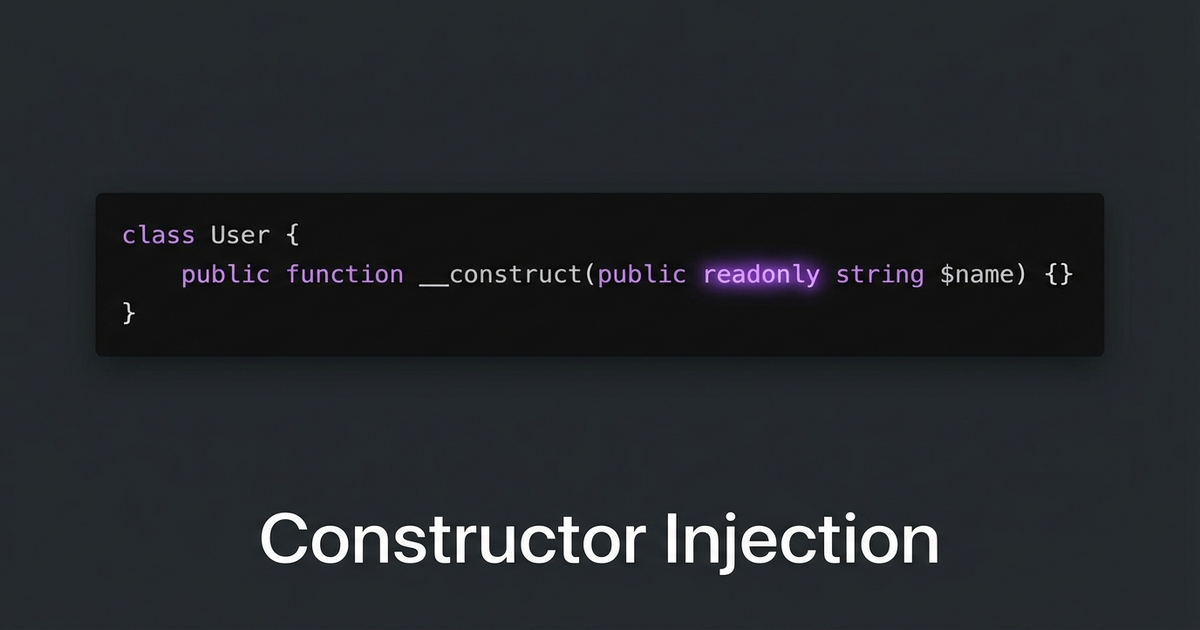
  • Constructor Injection Over Property Setting in Laravel Service Providers

    Constructor Injection Over Property Setting in Laravel Service Providers

    I was reviewing a service provider that registered a class by newing it up and then setting properties on it with extend(). It worked, but it was fragile — properties could be overwritten later, and you couldn’t make them readonly.

    The Before

    // AppServiceProvider.php
    $this->app->bind(NotificationPlugin::class, function ($app) {
        $plugin = new NotificationPlugin();
        $plugin->apiKey = config('services.notify.key');
        $plugin->endpoint = config('services.notify.url');
        $plugin->timeout = 30;
        return $plugin;
    });

    This pattern has a few problems:

    • Properties are mutable — anything can overwrite $plugin->apiKey later
    • No way to use PHP 8.1’s readonly keyword
    • If you forget to set a property, you get a runtime error instead of a constructor error
    • Hard to test — you need to set up each property individually in tests

    The After

    class NotificationPlugin
    {
        public function __construct(
            public readonly string $apiKey,
            public readonly string $endpoint,
            public readonly int $timeout = 30,
        ) {}
    }
    
    // AppServiceProvider.php
    $this->app->bind(NotificationPlugin::class, function ($app) {
        return new NotificationPlugin(
            apiKey: config('services.notify.key'),
            endpoint: config('services.notify.url'),
            timeout: 30,
        );
    });

    What You Get

    Immutability. Once constructed, the object can’t be modified. readonly enforces this at the language level.

    Fail fast. If you forget a required parameter, PHP throws a TypeError at construction time — not some random null error 200 lines later.

    Easy testing. Just new NotificationPlugin('test-key', 'http://localhost', 5). No setup ceremony.

    Named arguments make it readable. PHP 8’s named parameters mean the service provider binding reads like a config file.

    The Rule

    If you’re setting properties on an object after construction in a service provider, refactor to constructor injection. It’s more explicit, more testable, and lets you use readonly. Your future self will thank you when debugging a “how did this property change?” mystery.

  • Laravel Mix Parallel Builds Break mix-manifest.json

    Laravel Mix Parallel Builds Break mix-manifest.json

    Laravel Mix creates a mix-manifest.json file that maps your asset filenames to their versioned URLs. It’s the bridge between mix('build/js/app.js') in Blade and the actual hashed filename on disk. And if you run multiple Mix builds in parallel, they’ll destroy each other.

    The Problem

    Imagine you have a monolith with multiple frontends — a public marketing site, a documentation site, and an internal reporting tool. Each has its own webpack config:

    {
      "scripts": {
        "dev": "npm run dev:marketing & npm run dev:docs & npm run dev:reporting",
        "dev:marketing": "mix --mix-config=webpack.mix.marketing.js",
        "dev:docs": "mix --mix-config=webpack.mix.docs.js",
        "dev:reporting": "mix --mix-config=webpack.mix.reporting.js"
      }
    }

    Run npm run dev and all three compile simultaneously. Each one writes its own mix-manifest.json to public/. The last one to finish wins — the other two manifests are gone.

    Result: mix('build/js/marketing.js') throws “Mix manifest not found” errors for whichever build finished first.

    The Hot File Problem

    It gets worse with hot module replacement. npm run hot creates a public/hot file containing the webpack-dev-server URL. If you run two hot reloaders simultaneously, they fight over the same file — each overwriting the other’s URL.

    Laravel’s mix() helper reads public/hot to decide whether to proxy assets through webpack-dev-server. With two builds writing to the same file, only one frontend gets HMR. The other loads stale compiled assets — or nothing at all.

    The Fix: Sequential Builds or Merge Manifest

    Option 1: Build sequentially (simple, slower)

    {
      "scripts": {
        "dev": "npm run dev:marketing && npm run dev:docs && npm run dev:reporting"
      }
    }

    Use && instead of &. Each build runs after the previous one finishes. The manifest includes all entries because each build appends. Downside: 3x slower.

    Option 2: laravel-mix-merge-manifest (parallel-safe)

    npm install laravel-mix-merge-manifest --save-dev

    Add to each webpack config:

    const mix = require('laravel-mix');
    require('laravel-mix-merge-manifest');
    
    mix.js('resources/js/marketing/app.js', 'public/build/js/marketing')
       .mergeManifest();

    Now each build merges its entries into the existing manifest instead of overwriting. Parallel builds work correctly.

    Option 3: Separate containers (best for hot reload)

    For HMR, run each dev server in its own container on a different port. Each gets its own hot file context. Configure each frontend to hit its specific dev server port. More infrastructure, but zero conflicts.

    The Lesson

    When multiple processes write to the same file, the last writer wins. This isn’t a Laravel Mix bug — it’s a fundamental concurrency problem. Any time you parallelize build steps that share output files, check whether they’ll clobber each other.