Category: Laravel

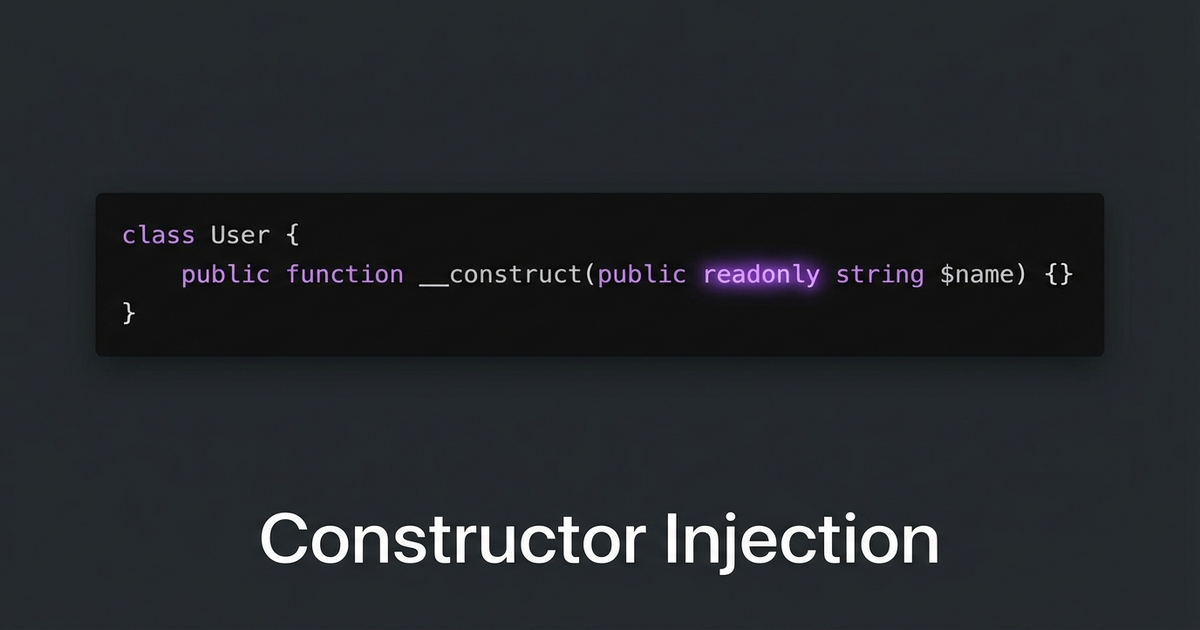
  • Constructor Injection Over Property Setting in Laravel Service Providers

    Constructor Injection Over Property Setting in Laravel Service Providers

    I was reviewing a service provider that registered a class by newing it up and then setting properties on it with extend(). It worked, but it was fragile — properties could be overwritten later, and you couldn’t make them readonly.

    The Before

    // AppServiceProvider.php
    $this->app->bind(NotificationPlugin::class, function ($app) {
        $plugin = new NotificationPlugin();
        $plugin->apiKey = config('services.notify.key');
        $plugin->endpoint = config('services.notify.url');
        $plugin->timeout = 30;
        return $plugin;
    });

    This pattern has a few problems:

    • Properties are mutable — anything can overwrite $plugin->apiKey later
    • No way to use PHP 8.1’s readonly keyword
    • If you forget to set a property, you get a runtime error instead of a constructor error
    • Hard to test — you need to set up each property individually in tests

    The After

    class NotificationPlugin
    {
        public function __construct(
            public readonly string $apiKey,
            public readonly string $endpoint,
            public readonly int $timeout = 30,
        ) {}
    }
    
    // AppServiceProvider.php
    $this->app->bind(NotificationPlugin::class, function ($app) {
        return new NotificationPlugin(
            apiKey: config('services.notify.key'),
            endpoint: config('services.notify.url'),
            timeout: 30,
        );
    });

    What You Get

    Immutability. Once constructed, the object can’t be modified. readonly enforces this at the language level.

    Fail fast. If you forget a required parameter, PHP throws a TypeError at construction time — not some random null error 200 lines later.

    Easy testing. Just new NotificationPlugin('test-key', 'http://localhost', 5). No setup ceremony.

    Named arguments make it readable. PHP 8’s named parameters mean the service provider binding reads like a config file.

    The Rule

    If you’re setting properties on an object after construction in a service provider, refactor to constructor injection. It’s more explicit, more testable, and lets you use readonly. Your future self will thank you when debugging a “how did this property change?” mystery.
  • Laravel Mix Parallel Builds Break mix-manifest.json

    Laravel Mix Parallel Builds Break mix-manifest.json

    Laravel Mix creates a mix-manifest.json file that maps your asset filenames to their versioned URLs. It’s the bridge between mix('build/js/app.js') in Blade and the actual hashed filename on disk. And if you run multiple Mix builds in parallel, they’ll destroy each other.

    The Problem

    Imagine you have a monolith with multiple frontends — a public marketing site, a documentation site, and an internal reporting tool. Each has its own webpack config:

    {
      "scripts": {
        "dev": "npm run dev:marketing & npm run dev:docs & npm run dev:reporting",
        "dev:marketing": "mix --mix-config=webpack.mix.marketing.js",
        "dev:docs": "mix --mix-config=webpack.mix.docs.js",
        "dev:reporting": "mix --mix-config=webpack.mix.reporting.js"
      }
    }

    Run npm run dev and all three compile simultaneously. Each one writes its own mix-manifest.json to public/. The last one to finish wins — the other two manifests are gone.

    Result: mix('build/js/marketing.js') throws “Mix manifest not found” errors for whichever build finished first.

    The Hot File Problem

    It gets worse with hot module replacement. npm run hot creates a public/hot file containing the webpack-dev-server URL. If you run two hot reloaders simultaneously, they fight over the same file — each overwriting the other’s URL.

    Laravel’s mix() helper reads public/hot to decide whether to proxy assets through webpack-dev-server. With two builds writing to the same file, only one frontend gets HMR. The other loads stale compiled assets — or nothing at all.

    The Fix: Sequential Builds or Merge Manifest

    Option 1: Build sequentially (simple, slower)

    {
      "scripts": {
        "dev": "npm run dev:marketing && npm run dev:docs && npm run dev:reporting"
      }
    }

    Use && instead of &. Each build runs after the previous one finishes. The manifest includes all entries because each build appends. Downside: 3x slower.

    Option 2: laravel-mix-merge-manifest (parallel-safe)

    npm install laravel-mix-merge-manifest --save-dev

    Add to each webpack config:

    const mix = require('laravel-mix');
    require('laravel-mix-merge-manifest');
    
    mix.js('resources/js/marketing/app.js', 'public/build/js/marketing')
       .mergeManifest();

    Now each build merges its entries into the existing manifest instead of overwriting. Parallel builds work correctly.

    Option 3: Separate containers (best for hot reload)

    For HMR, run each dev server in its own container on a different port. Each gets its own hot file context. Configure each frontend to hit its specific dev server port. More infrastructure, but zero conflicts.

    The Lesson

    When multiple processes write to the same file, the last writer wins. This isn’t a Laravel Mix bug — it’s a fundamental concurrency problem. Any time you parallelize build steps that share output files, check whether they’ll clobber each other.

  • Tinker for Quick Regex Validation Before Committing

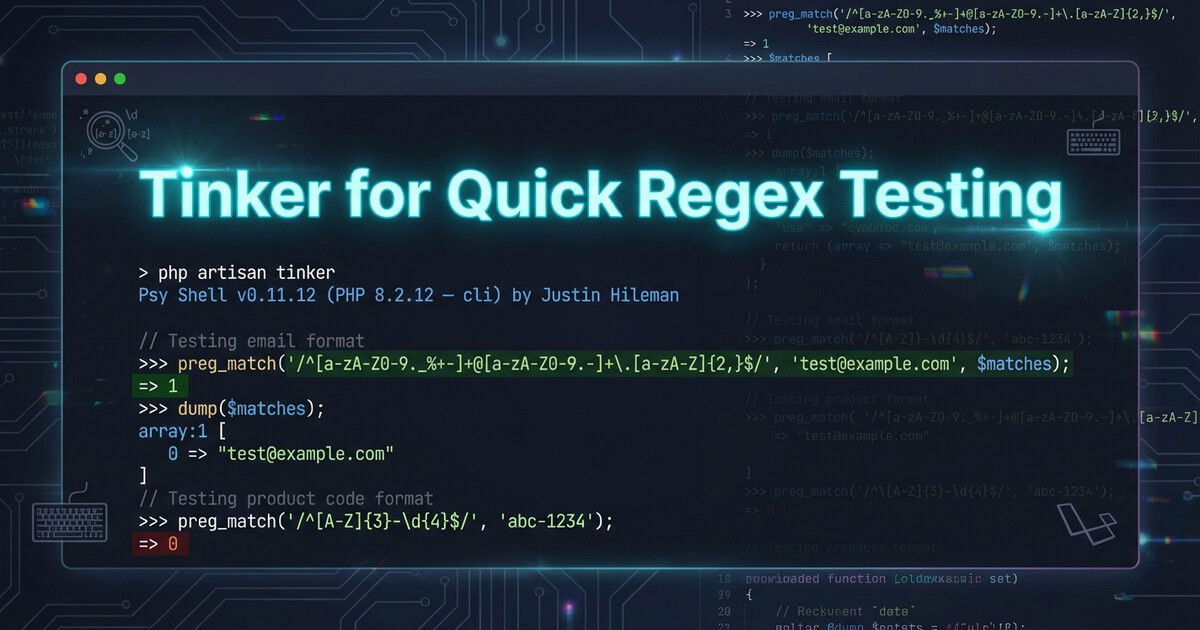
    Tinker for Quick Regex Validation Before Committing

    Testing regex patterns before committing them? Don’t fire up a whole test suite. Use tinker --execute for instant validation.

    The Fast Way

    Laravel’s tinker has an --execute flag that runs code and exits. Perfect for one-liner regex tests:

    php artisan tinker --execute="var_dump(preg_match('/^(?=.*cat)(?=.*dog)/', 'cat and dog'))"

    Output: int(1) (match found)

    Try another:

    php artisan tinker --execute="var_dump(preg_match('/^(?=.*cat)(?=.*dog)/', 'only cat here'))"

    Output: int(0) (no match)

    Why It’s Better

    No need to:

    • Write a test file
    • Create a route
    • Open an interactive REPL session
    • Fire up PHPUnit

    Just run, check output, adjust pattern, run again. Fast feedback loop.

    Takeaway

    Use tinker --execute for quick regex (and other code) validation. It runs in your app context with all your dependencies loaded. Way faster than writing throwaway test files.

  • WSL2 Boots Before Windows Services (And How to Fix It)

    WSL2 Boots Before Windows Services (And How to Fix It)

    Here’s a fun edge case: WSL2 can boot faster than Windows services start. Your boot script tries to mount a network drive? Fails. Connect to a VPN? Not running yet. Access a Windows service? Still loading.

    The Race Condition

    WSL2 starts almost instantly when Windows boots. Windows services? They take their sweet time. If your WSL boot script depends on them, you’ll get random failures on startup.

    The Fix: Retry Loop

    Instead of hoping the service is ready, add a retry loop with exponential backoff:

    #!/bin/bash
    MAX_RETRIES=5
    RETRY=0
    
    while [ $RETRY -lt $MAX_RETRIES ]; do
        if mount_network_drive; then
            echo "Mounted successfully"
            break
        fi
        RETRY=$((RETRY + 1))
        sleep $((2 ** RETRY))  # 2, 4, 8, 16, 32 seconds
    done

    Takeaway

    WSL2 boot scripts can’t assume Windows is fully ready. Add retries with backoff for anything that depends on Windows services. Your future self will thank you when it works on the first boot after a restart.

  • Laravel Events: Stop Calling Services Directly

    Laravel Events: Stop Calling Services Directly

    You’re building a workflow. When an order is cancelled, you need to process a refund. The straightforward approach: call the refund service directly.

    But that creates coupling you’ll regret later.

    The Tight-Coupling Trap

    Here’s what most developers write first:

    class CancelOrderService
    {
        public function __construct(
            private RefundService $refundService
        ) {}
        
        public function cancel(Order $order): void
        {
            $order->update(['status' => 'cancelled']);
            
            // Directly call refund logic
            if ($order->payment_status === 'paid') {
                $this->refundService->process($order);
            }
        }
    }

    This works. But now:

    • CancelOrderService knows about refunds
    • Adding more post-cancellation logic (notifications, inventory updates, analytics) means editing this class every time
    • Testing cancellation requires mocking refund logic

    You’ve tightly coupled two separate concerns.

    Event-Driven Decoupling

    Instead, dispatch an event and let listeners handle side effects:

    class CancelOrderService
    {
        public function cancel(Order $order): void
        {
            $order->update(['status' => 'cancelled']);
            
            // Broadcast what happened, don't dictate what happens next
            event(new OrderCancelled($order));
        }
    }

    Now the cancellation service doesn’t know or care what happens after. It announces the cancellation and moves on.

    Listeners Do the Work

    Register listeners to handle post-cancellation tasks:

    // app/Providers/EventServiceProvider.php
    
    protected $listen = [
        OrderCancelled::class => [
            ProcessAutomaticRefund::class,
            NotifyCustomer::class,
            UpdateInventory::class,
            LogAnalytics::class,
        ],
    ];

    Each listener is independent:

    class ProcessAutomaticRefund
    {
        public function __construct(
            private RefundService $refundService
        ) {}
        
        public function handle(OrderCancelled $event): void
        {
            $order = $event->order;
            
            if ($order->payment_status === 'paid') {
                $this->refundService->process($order);
            }
        }
    }

    Now you can:

    • Add listeners without touching the cancellation logic
    • Remove listeners when features are deprecated
    • Test independently — cancel logic doesn’t know refund logic exists
    • Queue listeners individually for better performance

    When to Use Events

    Use events when:

    • Multiple things need to happen: One action triggers several side effects
    • Logic might expand: You anticipate adding more post-action tasks
    • Cross-domain concerns: Orders triggering inventory, notifications, analytics
    • Async processing: Some tasks can be queued, others need to run immediately

    Skip events when:

    • Single responsibility: Only one thing ever happens
    • Tight integration required: Caller needs return values or transaction control
    • Simple workflows: Over-engineering a two-step process

    Bonus: Queue Listeners Selectively

    Make slow listeners async:

    class NotifyCustomer implements ShouldQueue
    {
        public function handle(OrderCancelled $event): void
        {
            // Runs in background, doesn't slow down cancellation
            Mail::to($event->order->customer)->send(new OrderCancelledEmail());
        }
    }

    Now critical listeners (refund) run immediately, while optional ones (email) queue in the background.

    The Takeaway

    Stop calling side effects directly. Dispatch events instead. Your code becomes more modular, testable, and flexible. When requirements change (they always do), you add a listener instead of refactoring core logic.

    Events aren’t overkill — they’re how you build systems that scale without breaking.

  • Laravel Table Names: When Singular Breaks Your Queries

    Laravel Table Names: When Singular Breaks Your Queries

    You write a raw query in Laravel. It works in staging. You push to production, and suddenly: Table ‘database.products’ doesn’t exist.

    Plot twist: The table is called product (singular). Welcome to the world of legacy databases.

    Laravel’s Plural Assumption

    Laravel’s Eloquent ORM follows a convention: table names are plural, model names are singular.

    // Model: Product
    // Expected table: products (plural)
    
    class Product extends Model
    {
        // Laravel auto-assumes 'products' table
    }

    This works great… until you inherit a database where someone used singular table names.

    The Problem with Raw Queries

    When you use Eloquent methods, Laravel uses $model->getTable(), which you can override:

    class Product extends Model
    {
        protected $table = 'product'; // Override to singular
    }
    
    // Eloquent queries work fine
    Product::where('status', 'active')->get();

    But raw queries don’t use getTable():

    // ❌ Breaks if table is actually 'product' (singular)
    DB::table('products')->where('status', 'active')->get();
    
    // ❌ Also breaks
    DB::select("SELECT * FROM products WHERE status = ?", ['active']);

    The Fix: Use Model Table Names

    Always reference the model’s table name dynamically:

    // ✅ Uses the model's $table property
    $table = (new Product)->getTable();
    
    DB::table($table)->where('status', 'active')->get();
    
    // ✅ Or inline
    DB::table((new Product)->getTable())
        ->where('status', 'active')
        ->get();

    For raw SQL strings:

    $table = (new Product)->getTable();
    
    DB::select("SELECT * FROM {$table} WHERE status = ?", ['active']);

    Now if the table name changes (migration, refactor, database merge), you update it once in the model.

    Why This Happens

    Common scenarios where table names don’t match Laravel conventions:

    • Legacy databases: Built before Laravel, different naming standards
    • Multi-framework codebases: Database shared between Laravel and another app
    • Database naming policies: Company standards enforce singular table names
    • Third-party integrations: External systems dictate schema

    Bonus: Check All Your Models

    Want to see which models override table names?

    grep -r "protected \$table" app/Models/

    Or in Tinker:

    collect(get_declared_classes())
        ->filter(fn($c) => is_subclass_of($c, Model::class))
        ->mapWithKeys(fn($c) => [$c => (new $c)->getTable()])
        ->toArray();

    The Takeaway

    Never hardcode table names in queries. Use getTable() to respect model configuration. When the table name changes, your queries won’t break.

    Future-you debugging at 2 AM will thank you.

  • Laravel Collections: Use put() for Automatic Deduplication

    Laravel Collections: Use put() for Automatic Deduplication

    You’re fetching products from multiple overlapping API requests. Maybe paginated results, maybe different filters that return some of the same items. You push them all into a collection and end up with duplicates.

    There’s a better way than calling unique() at the end.

    The Problem with Push

    Here’s the naive approach:

    $results = collect([]);
    
    // Loop through multiple API calls
    foreach ($queries as $query) {
        $response = Http::get('/api/products', $query);
        
        foreach ($response->json('data') as $product) {
            $results->push($product);
        }
    }
    
    // Now de-duplicate
    $results = $results->unique('id');

    This works, but you’re storing duplicates in memory the entire time, then filtering them out at the end. With large datasets, that’s wasteful.

    Use Put() with Keys

    Instead of push(), use put() with the product ID as the key:

    $results = collect([]);
    
    foreach ($queries as $query) {
        $response = Http::get('/api/products', $query);
        
        foreach ($response->json('data') as $product) {
            // Key by product ID — duplicates auto-overwrite
            $results->put($product['id'], $product);
        }
    }
    
    // No need for unique() — collection is already deduplicated

    Now when the same product ID appears twice, the second one overwrites the first. Automatic deduplication during collection, not after.

    Why This Is Better

    • Constant memory: Each unique product ID only stored once
    • No post-processing: Skip the unique() call entirely
    • Latest data wins: If data changes between API calls, you keep the freshest version

    Don’t Need the Keys?

    If you need a sequential array at the end (without the ID keys), just call values():

    $results = $results->values();
    
    // Now indexed [0, 1, 2, ...] instead of [123, 456, ...]

    Works for Any Unique Identifier

    This pattern works for any deduplication scenario:

    // Dedup users by email
    $users->put($user['email'], $user);
    
    // Dedup orders by order number
    $orders->put($order['order_number'], $order);
    
    // Dedup products by SKU
    $products->put($product['sku'], $product);

    When Push() Is Better

    Use push() when:

    • You want duplicates (like tracking multiple events)
    • You need insertion order preserved without keys
    • Items don’t have a natural unique identifier

    Otherwise, put() with keys is your friend.

    The Takeaway

    Stop using push() + unique(). Use put() with a unique key for automatic deduplication during collection. Cleaner code, less memory, same result.

  • Dry-Run Mode with Transaction Rollback

    Dry-Run Mode with Transaction Rollback

    You’re about to run a one-off script that updates 10,000 database records. You’ve tested it on staging. You’ve code-reviewed it. But you still want to see exactly what it’ll do in production before committing.

    Enter: the dry-run transaction pattern.

    The Problem with Fake Dry-Runs

    Most “dry-run” modes look like this:

    if ($dryRun) {
        $this->info("Would update order #{$order->id}");
    } else {
        $order->update(['status' => 'processed']);
    }

    The issue? You’re not running the real code. If there’s a bug in the actual update logic — a constraint violation, a triggered event that fails, a missing column — you won’t find out until you run it for real.

    The Transaction Rollback Trick

    Instead, run the actual code path, but wrap it in a transaction and roll it back:

    use Illuminate\Support\Facades\DB;
    
    class ProcessOrdersCommand extends Command
    {
        public function handle()
        {
            $dryRun = $this->option('dry-run');
            
            if ($dryRun) {
                $this->warn('🔍 DRY-RUN MODE — changes will be rolled back');
                DB::beginTransaction();
            }
            
            try {
                $orders = Order::pending()->get();
                
                foreach ($orders as $order) {
                    $order->update(['status' => 'processed']);
                    $this->info("✓ Processed order #{$order->id}");
                }
                
                if ($dryRun) {
                    DB::rollback();
                    $this->info('✅ Dry-run complete — no changes saved');
                } else {
                    $this->info('✅ All changes committed');
                }
                
            } catch (\Exception $e) {
                if ($dryRun) {
                    DB::rollback();
                }
                throw $e;
            }
        }
    }

    What You Get

    With this pattern:

    • Real execution: Every query runs, every constraint is checked
    • Event triggers fire: Model observers, jobs, notifications — all execute
    • Nothing persists: Rollback undoes all database changes
    • Safe preview: See exactly what would happen, but commit nothing

    Bonus: Track What Changed

    Want to see before/after values?

    $changes = [];
    
    foreach ($orders as $order) {
        $original = $order->toArray();
        $order->update(['status' => 'processed']);
        $changes[] = [
            'id' => $order->id,
            'before' => $original['status'],
            'after' => $order->status
        ];
    }
    
    if ($dryRun) {
        $this->table(['ID', 'Before', 'After'], 
            array_map(fn($c) => [$c['id'], $c['before'], $c['after']], $changes)
        );
    }

    Now your dry-run shows a summary table of what would change.

    When Not to Use This

    This pattern doesn’t help with:

    • External API calls: Transaction rollback won’t undo HTTP requests
    • File operations: Transactions don’t cover filesystem changes
    • Email/notifications: Side effects outside the database still fire

    For those, you still need conditional logic or feature flags.

    The Takeaway

    Dry-run via transaction rollback tests your real code path. If it works in dry-run, it works for real. No surprises, no “but it worked in staging” excuses.

    Add --dry-run to every risky command. Your production database will thank you.

  • Laravel Queue Jobs: Stop Using $this in Closures

    Laravel Queue Jobs: Stop Using $this in Closures

    You dispatch a Laravel job. It runs fine locally. You push to production, and suddenly: CallbackNotFound errors everywhere.

    The culprit? A closure inside your job that references $this->someService.

    The Problem

    Here’s what breaks:

    class ProcessOrder implements ShouldQueue
    {
        use SerializesModels;
        
        public function __construct(
            private PaymentService $paymentService
        ) {}
        
        public function handle()
        {
            $orders = Order::pending()->get();
            
            // This closure references $this
            $orders->each(function ($order) {
                // 💥 BOOM after serialization
                $this->paymentService->charge($order);
            });
        }
    }

    When Laravel serializes the job for the queue, closures can’t capture $this properly. The callback becomes unresolvable after deserialization, and your job dies silently or throws cryptic errors.

    The Fix

    Stop referencing $this inside closures. Use app() to resolve the service fresh from the container:

    class ProcessOrder implements ShouldQueue
    {
        use SerializesModels;
        
        public function handle()
        {
            $orders = Order::pending()->get();
            
            // ✅ Resolve fresh from container
            $orders->each(function ($order) {
                app(PaymentService::class)->charge($order);
            });
        }
    }

    Now the closure is self-contained. Every time it runs, it pulls the service from the container. No serialization issues, no broken callbacks.

    Why It Works

    Queue jobs get serialized to JSON and stored (database, Redis, SQS, etc.). When the worker picks up the job:

    1. Laravel deserializes the job class
    2. Runs your handle() method
    3. Executes any closures inside

    But PHP can’t serialize object references inside closures. Using app() defers service resolution until the closure actually runs — after deserialization.

    Bonus: Same Rule for Collection Transforms

    This isn’t just a queue problem. Any time you serialize data with closures (caching collections, API responses, etc.), the same rule applies:

    // ❌ Breaks if serialized
    $cached = $items->map(fn($item) => $this->transformer->format($item));
    
    // ✅ Safe
    $cached = $items->map(fn($item) => app(Transformer::class)->format($item));

    The Takeaway

    Never use $this-> inside closures in queue jobs. Resolve services from the container with app() or pass them as closure parameters instead.

    Your queue workers will thank you.

  • HTTP Response throw() Makes Your Error Handling Unreachable

    HTTP Response throw() Makes Your Error Handling Unreachable

    Found dead code in an API client today. Classic mistake with Laravel’s HTTP client.

    The code looked reasonable at first glance:

    $response = Http::post($url, $data)->throw();
    
    if ($response->failed()) {
        throw $response->serverError() 
            ? new ServerException() 
            : $response->toException();
    }
    

    Spot the problem? The throw() method already throws an exception if the request fails. That if ($response->failed()) block will never execute — it’s unreachable.

    Laravel’s throw() is basically:

    if ($this->failed()) {
        throw $this->toException();
    }
    return $this;
    

    So you either use throw() for automatic exception handling, OR check failed() manually. Not both.

    The fix: if you need custom exception logic, don’t use throw():

    $response = Http::post($url, $data);
    
    if ($response->failed()) {
        throw $response->serverError() 
            ? new CustomServerException() 
            : new CustomClientException();
    }
    

    Small mistake, but good reminder to understand what framework helpers actually do under the hood.