Blog

  • Add Optional Parameters Instead of Creating New Methods

    Add Optional Parameters Instead of Creating New Methods

    I just deleted 150 lines of code by adding one optional parameter. Here’s the pattern.

    The Duplicate Method Problem

    You have a method that works great. Then a new requirement comes in that’s almost the same, but with a slight twist. So you copy the method, tweak it, and now you have two methods that are 90% identical.

    public function getLabel(): string
    {
        return $this->name . ' (' . $this->code . ')';
    }
    
    public function getLabelForExport(): string
    {
        return $this->name . ' - ' . $this->code;
    }
    
    public function getLabelWithPrefix(): string
    {
        return strtoupper($this->code) . ': ' . $this->name;
    }

    Three methods. Three variations of essentially the same thing. And every time the underlying logic changes, you update all three (or forget one).

    Add a Parameter Instead

    public function getLabel(string $format = 'default'): string
    {
        return match ($format) {
            'export' => $this->name . ' - ' . $this->code,
            'prefix' => strtoupper($this->code) . ': ' . $this->name,
            default  => $this->name . ' (' . $this->code . ')',
        };
    }

    One method. One place to update. All existing calls that use getLabel() with no arguments keep working because the parameter has a default value.

    When to Use This

    This works when the methods share the same core logic and only differ in formatting, filtering, or a small behavioral switch. If the “variant” method has completely different logic, keep it separate.

    The signal to look for: two methods with nearly identical bodies where you keep having to update both. That’s your cue to merge them with an optional parameter.

    Bonus: PHP 8’s match() expression makes the branching clean. No messy if/else chains needed.

  • Docker Build-Time vs Runtime: The Post-Install Hook Pattern

    Docker Build-Time vs Runtime: The Post-Install Hook Pattern

    Here’s a pattern I use in nearly every Docker project: create scripts at build time, execute them at runtime.

    The Problem

    Some things can’t happen during docker build. Maybe you need environment variables that only exist at runtime. Maybe you need to run migrations against a database that isn’t available yet. Maybe you need to generate config files from templates.

    The instinct is to shove everything into the entrypoint script. But then your entrypoint becomes a 200-line monster that’s impossible to debug.

    The Pattern

    Split it into two phases:

    # Build time: COPY or CREATE the scripts
    COPY docker/post-install/*.sh /docker-entrypoint.d/
    RUN chmod +x /docker-entrypoint.d/*.sh
    #!/bin/bash
    # entrypoint.sh — Runtime: execute the hooks
    for f in /docker-entrypoint.d/*.sh; do
        echo "Running post-install hook: $f"
        bash "$f"
    done
    
    exec "$@"

    Why This Works

    Each hook is a single-purpose script. 01-generate-config.sh renders templates from env vars. 02-run-migrations.sh handles database setup. 03-create-cache-dirs.sh ensures directories exist with correct permissions.

    You can test each hook independently. You can add new ones without touching the entrypoint. And if one fails, the error message tells you exactly which hook broke.

    The Key Insight

    Build time is for things that are static — installing packages, copying files, compiling assets. Runtime is for things that depend on the environment — config generation, service discovery, data setup.

    The hook directory pattern bridges the two. Your Dockerfile prepares the hooks. Your entrypoint runs them. Clean separation, easy debugging.

    If you’ve used the official Nginx or PostgreSQL Docker images, you’ve already seen this pattern — they use /docker-entrypoint-initdb.d/ for the exact same reason.

  • Constructor Injection Over Property Setting in Laravel Service Providers

    Constructor Injection Over Property Setting in Laravel Service Providers

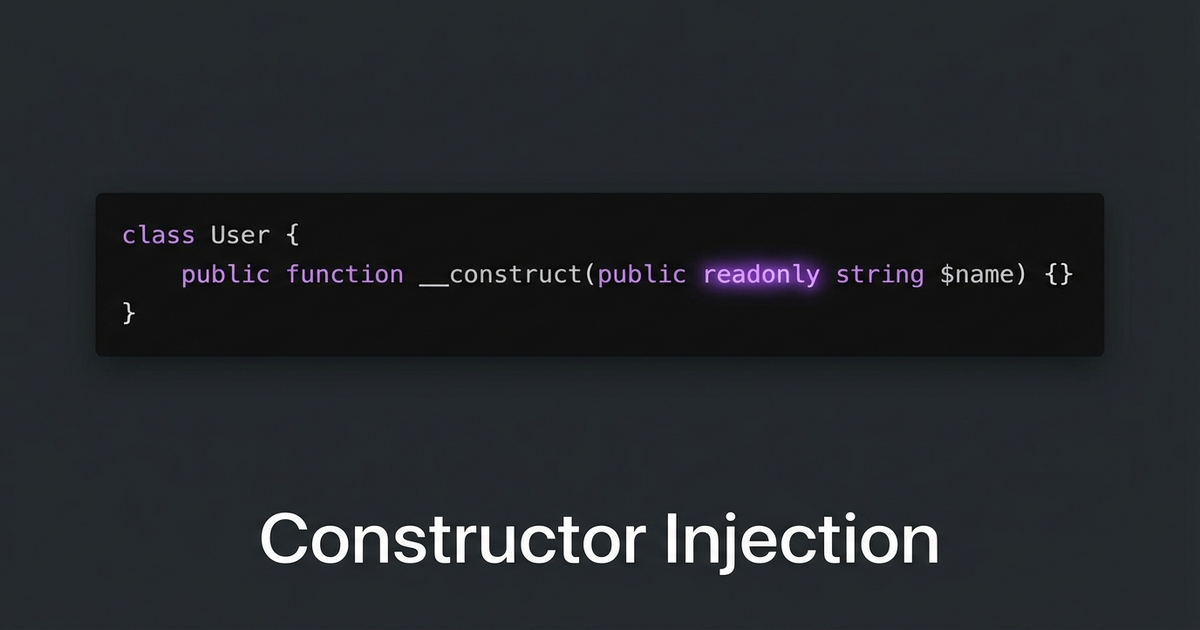
    I was reviewing a service provider that registered a class by newing it up and then setting properties on it with extend(). It worked, but it was fragile — properties could be overwritten later, and you couldn’t make them readonly.

    The Before

    // AppServiceProvider.php
    $this->app->bind(NotificationPlugin::class, function ($app) {
        $plugin = new NotificationPlugin();
        $plugin->apiKey = config('services.notify.key');
        $plugin->endpoint = config('services.notify.url');
        $plugin->timeout = 30;
        return $plugin;
    });

    This pattern has a few problems:

    • Properties are mutable — anything can overwrite $plugin->apiKey later
    • No way to use PHP 8.1’s readonly keyword
    • If you forget to set a property, you get a runtime error instead of a constructor error
    • Hard to test — you need to set up each property individually in tests

    The After

    class NotificationPlugin
    {
        public function __construct(
            public readonly string $apiKey,
            public readonly string $endpoint,
            public readonly int $timeout = 30,
        ) {}
    }
    
    // AppServiceProvider.php
    $this->app->bind(NotificationPlugin::class, function ($app) {
        return new NotificationPlugin(
            apiKey: config('services.notify.key'),
            endpoint: config('services.notify.url'),
            timeout: 30,
        );
    });

    What You Get

    Immutability. Once constructed, the object can’t be modified. readonly enforces this at the language level.

    Fail fast. If you forget a required parameter, PHP throws a TypeError at construction time — not some random null error 200 lines later.

    Easy testing. Just new NotificationPlugin('test-key', 'http://localhost', 5). No setup ceremony.

    Named arguments make it readable. PHP 8’s named parameters mean the service provider binding reads like a config file.

    The Rule

    If you’re setting properties on an object after construction in a service provider, refactor to constructor injection. It’s more explicit, more testable, and lets you use readonly. Your future self will thank you when debugging a “how did this property change?” mystery.

  • Handling Delayed API Responses with Laravel Jobs and Callbacks

    Handling Delayed API Responses with Laravel Jobs and Callbacks

    Some third-party APIs don’t give you an instant answer. You send a request, they return "status": "processing", and you’re expected to poll until the result is ready. Payment gateways do this a lot — especially for bank transfers and manual review flows.

    Here’s the pattern that’s worked well for handling this in Laravel.

    The Problem

    Your controller sends a request to an external API. Instead of a final result, you get:

    {
        "transaction_id": "txn_abc123",
        "status": "processing",
        "estimated_completion": "30s"
    }

    You can’t block the HTTP request for 30 seconds. But you also can’t just ignore it — your workflow depends on the result.

    The Solution: Dispatch a Polling Job

    // In your service
    public function initiatePayment(Order $order): void
    {
        $response = Http::post('https://api.provider.com/charge', [
            'amount' => $order->total,
            'reference' => $order->reference,
        ]);
    
        if ($response->json('status') === 'processing') {
            PollPaymentStatus::dispatch(
                transactionId: $response->json('transaction_id'),
                orderId: $order->id,
                attempts: 0,
            )->delay(now()->addSeconds(10));
        }
    }

    The Polling Job

    class PollPaymentStatus implements ShouldQueue
    {
        use Dispatchable, InteractsWithQueue, Queueable;
    
        private const MAX_ATTEMPTS = 10;
        private const POLL_INTERVAL = 15; // seconds
    
        public function __construct(
            private readonly string $transactionId,
            private readonly int $orderId,
            private readonly int $attempts,
        ) {}
    
        public function handle(): void
        {
            $response = Http::get(
                "https://api.provider.com/status/{$this->transactionId}"
            );
    
            $status = $response->json('status');
    
            if ($status === 'completed') {
                $this->onSuccess($response->json());
                return;
            }
    
            if ($status === 'failed') {
                $this->onFailure($response->json('error'));
                return;
            }
    
            // Still processing — re-dispatch with backoff
            if ($this->attempts >= self::MAX_ATTEMPTS) {
                $this->onTimeout();
                return;
            }
    
            self::dispatch(
                $this->transactionId,
                $this->orderId,
                $this->attempts + 1,
            )->delay(now()->addSeconds(self::POLL_INTERVAL));
        }
    
        private function onSuccess(array $data): void
        {
            $order = Order::find($this->orderId);
            $order->markAsPaid($data['reference']);
            // Continue your workflow...
        }
    
        private function onFailure(string $error): void
        {
            Log::error("Payment failed: {$error}", [
                'transaction_id' => $this->transactionId,
            ]);
        }
    
        private function onTimeout(): void
        {
            Log::warning("Payment polling timed out after " . self::MAX_ATTEMPTS . " attempts");
        }
    }

    Why This Works

    The job re-dispatches itself with a delay, creating a non-blocking polling loop. Your queue worker handles the timing. Your controller returns immediately. And you get clean callback methods (onSuccess, onFailure, onTimeout) for each outcome.

    The key insight: the job IS the polling loop. Each dispatch is one iteration. The delay between dispatches is your poll interval. And the max attempts give you a clean exit.

  • Interface Naming: Follow Your Parent Verb Pattern

    Interface Naming: Follow Your Parent Verb Pattern

    Yesterday I was refactoring some code that had a messy inheritance hierarchy. A base class had a method called allowsRefund(), and a child interface was named SupportsPartialRefund.

    Read that out loud: “This class allows refund, and supports partial refund.” Two different verbs for the same concept. It’s subtle, but it makes the codebase harder to scan.

    The Fix

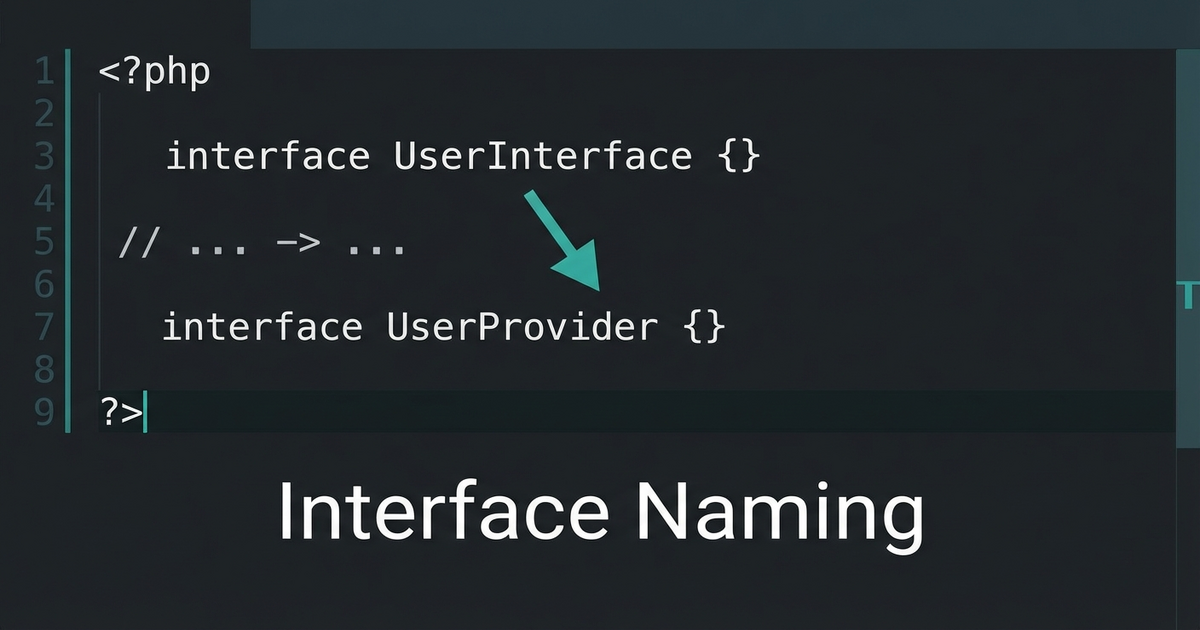
    Rename the interface to match the parent’s verb:

    // ❌ Mixed verbs
    class PaymentGateway
    {
        public function allowsRefund(): bool { ... }
    }
    
    interface SupportsPartialRefund
    {
        public function getPartialRefundLimit(): Money;
    }
    
    // ✅ Consistent verb pattern
    class PaymentGateway
    {
        public function allowsRefund(): bool { ... }
    }
    
    interface AllowsPartialRefund
    {
        public function getPartialRefundLimit(): Money;
    }

    Why This Matters

    When you’re scanning a class that implements multiple interfaces, consistent naming lets you instantly understand the hierarchy:

    class StripeGateway extends PaymentGateway
        implements AllowsPartialRefund, AllowsRecurringCharge
    {
        // The "Allows" prefix immediately tells you
        // these extend the parent's capability pattern
    }

    If one used Supports and another used Allows, you’d waste mental energy wondering if there’s a meaningful difference. (There isn’t.)

    The Rule

    When naming an interface that extends a parent class’s concept, use the same verb the parent uses. If the parent says allows, the interface says Allows. If the parent says supports, the interface says Supports. Don’t mix.

    Small naming consistency compounds across a large codebase.

  • Ollama num_ctx: Why Setting It Higher Than the Model Supports Backfires

    Ollama num_ctx: Why Setting It Higher Than the Model Supports Backfires

    When running local LLMs with Ollama, you can set num_ctx to control the context window size. But there’s a ceiling you might not expect.

    The Gotcha

    Every model has an architectural limit baked into its training. Setting num_ctx higher than that limit doesn’t give you more context — it gives you garbage output or silent truncation:

    # This model was trained with 8K context
    ollama run llama3 --num_ctx 32768
    # Result: degraded output beyond 8K, not extended context

    The num_ctx parameter allocates memory for the KV cache, but the model’s positional embeddings only know how to handle positions it saw during training.

    How to Check the Real Limit

    # Check model metadata
    ollama show llama3 --modelfile | grep num_ctx
    
    # Or check the model card
    ollama show llama3

    The model card or GGUF metadata will tell you the trained context length. That’s your actual ceiling.

    What About YaRN and RoPE Scaling?

    Some models support extended context through YaRN (Yet another RoPE extensioN) or other RoPE scaling methods. These are baked into the model weights during fine-tuning — you can’t just enable them with a flag.

    If a model advertises 128K context, it was trained or fine-tuned with RoPE scaling to handle that. If it advertises 8K, setting num_ctx=128000 won’t magically give you 128K.

    The Rule

    Match num_ctx to what the model actually supports. Going lower saves memory. Going higher wastes memory and produces worse output. Check the model card, not your wishful thinking.

  • Check If the Binary Exists Before Installing It in Docker

    Check If the Binary Exists Before Installing It in Docker

    When you’re setting up a self-hosted service in Docker, you might reach for apt-get install ffmpeg in your Dockerfile. But many Docker images already ship with it — and installing a second copy just adds build time and image bloat.

    The Pattern: Check Before Installing

    Before adding any system dependency to your Dockerfile, check if the base image already includes it:

    # Inside a running container
    which ffmpeg
    ffmpeg -version
    
    # Or in Dockerfile
    RUN which ffmpeg || apt-get update && apt-get install -y ffmpeg

    Many application images (Nextcloud, Jellyfin, various media servers) bundle ffmpeg because they need it for thumbnail generation or transcoding. Installing it again is wasteful at best and can cause version conflicts at worst.

    The Broader Lesson

    This applies to any binary dependency:

    • ImageMagick — often pre-installed in PHP images
    • curl/wget — present in most base images
    • ffprobe — ships alongside ffmpeg
    • ghostscript — common in document processing images

    The habit: which <binary> first, apt-get install second. Your Docker builds will be faster and your images smaller.

    Conditional Install in Dockerfile

    RUN if ! which ffmpeg > /dev/null 2>&1; then \
          apt-get update && apt-get install -y --no-install-recommends ffmpeg \
          && rm -rf /var/lib/apt/lists/*; \
        fi

    One line of defense against unnecessary bloat. Check before you install.

  • Supervisord Running as Root in Docker Is Actually Fine

    Supervisord Running as Root in Docker Is Actually Fine

    You see supervisord running as root inside your Docker container and your security instinct screams. But hold on — this is actually the correct pattern.

    The Misconception

    Running processes as root in containers is generally bad practice. But supervisord is a process manager — it needs root to do its job properly:

    • It spawns and manages child processes
    • It needs to set the user directive on each child
    • It handles signal forwarding, restarts, and logging

    The Key Insight

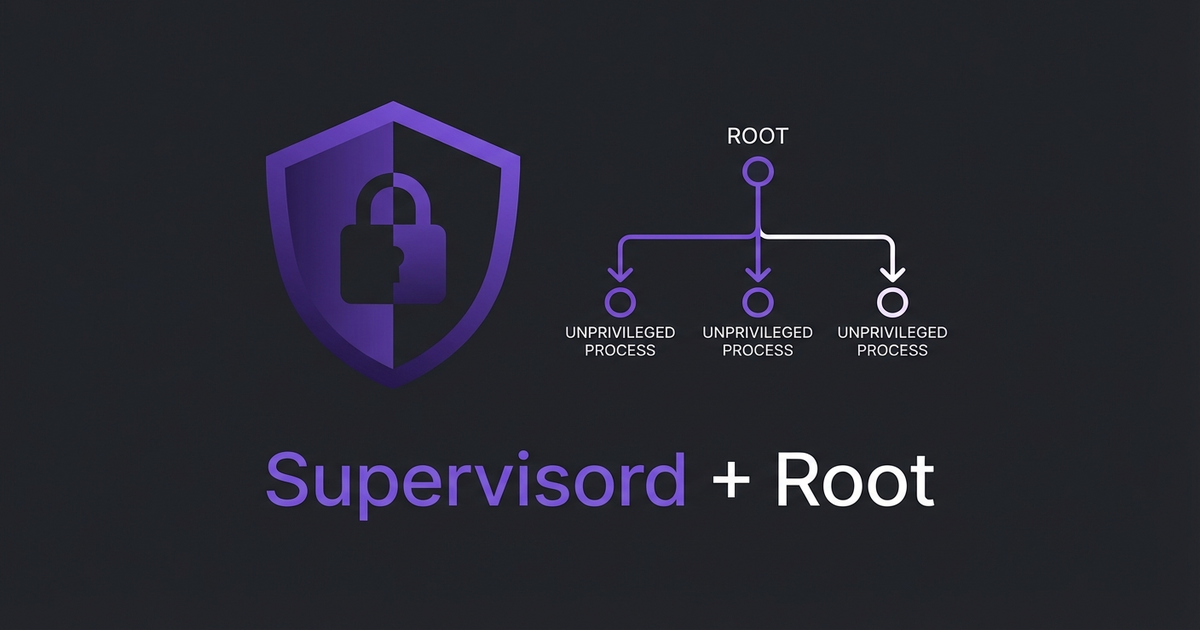
    Supervisord runs as root, but your actual application processes don’t have to. Each program block can specify its own user:

    [program:app]
    command=/usr/bin/php artisan serve
    user=www-data
    autostart=true
    autorestart=true
    
    [program:worker]
    command=/usr/bin/php artisan queue:work
    user=www-data
    autostart=true
    autorestart=true

    The parent (supervisord) runs privileged so it can manage the children. The children run unprivileged. This is the same model as systemd, init, or any other process manager on Linux.

    When to Worry

    If your supervisord config has programs running without a user directive, they inherit root. That’s the actual security risk — not supervisord itself. Always explicitly set user= on every program block.

    The pattern is simple: privileged parent, unprivileged children. Don’t fight it — just make sure the children are locked down.

  • Let the Codebase Vote: grep for Dominant Patterns

    Let the Codebase Vote: grep for Dominant Patterns

    When you join a large codebase and need to figure out the “right” way to do something, don’t guess. Don’t check the docs. Let the codebase vote.

    The Scenario

    You’re working in a Laravel app and need to get the current locale. Quick, which one do you use?

    // Option A
    App::getLocale()
    
    // Option B
    app()->getLocale()
    
    // Option C
    config('app.locale')

    They all work. But in a codebase with 200+ files touching locales, consistency matters more than personal preference.

    grep Is Your Democracy

    grep -r "App::getLocale" --include="*.php" | wc -l
    # 96
    
    grep -r "app()->getLocale" --include="*.php" | wc -l
    # 19
    
    grep -r "config('app.locale')" --include="*.php" | wc -l
    # 3

    The vote is 96-19-3. App::getLocale() wins by a landslide. That’s what you use. Discussion over.

    Why This Works

    The dominant pattern in a mature codebase exists for a reason. Maybe it was a conscious decision. Maybe it evolved naturally. Either way, it represents what the team actually does, not what someone thinks they should do.

    Following the majority means:

    • Your code looks like the rest of the codebase
    • grep and find-replace operations work consistently
    • New developers see one pattern, not three
    • Code reviews go faster because there’s nothing to debate

    More Examples

    This technique works for any “multiple valid approaches” question:

    # String helpers: str() vs Str:: vs helper
    grep -r "Str::" --include="*.php" | wc -l
    grep -r "str_" --include="*.php" | wc -l
    
    # Config access: config() vs Config::
    grep -r "config(" --include="*.php" | wc -l
    grep -r "Config::" --include="*.php" | wc -l
    
    # Route definitions: Route::get vs Route::resource
    grep -r "Route::get" routes/ | wc -l
    grep -r "Route::resource" routes/ | wc -l

    When to Override the Vote

    The only time you should go against the majority is when the dominant pattern is actively harmful — deprecated functions, security issues, or patterns that cause real bugs. In those cases, file a tech debt ticket and migrate everything at once. Don’t create a third pattern.

  • GNU Parallel for Real-Time Log Prefixing in Docker

    GNU Parallel for Real-Time Log Prefixing in Docker

    Running multiple background processes in a Docker container and trying to figure out which one is logging what? If you’re piping through sed for prefixes, stop. There’s a one-liner that handles this properly.

    The Problem

    You have a container running two webpack watchers (or any two long-running processes). The logs are interleaved and you can’t tell which output came from where:

    npm run hot &
    npm run watch:admin &
    wait

    Every line looks the same in docker logs. When something breaks, good luck figuring out which process errored.

    The sed Approach (Don’t Do This)

    First instinct is usually piping through sed:

    npm run hot 2>&1 | sed 's/^/[HOT] /' &
    npm run watch:admin 2>&1 | sed 's/^/[ADMIN] /' &
    wait

    This looks clean but has a nasty buffering problem. Pipes buffer output in chunks (typically 4KB), so you won’t see lines in real-time. You’ll get nothing for minutes, then a wall of prefixed text all at once. Not useful for watching builds.

    GNU Parallel to the Rescue

    GNU Parallel has two flags that solve this perfectly:

    parallel --tag --line-buffer ::: "npm run hot" "npm run watch:admin"

    --tag prefixes every output line with the command that produced it. --line-buffer flushes output line-by-line instead of waiting for the process to finish. Together, you get real-time prefixed output with zero buffering issues:

    npm run hot        webpack compiled successfully in 2847 ms
    npm run watch:admin  webpack compiled successfully in 1923 ms
    npm run hot        webpack compiled successfully in 412 ms

    In Docker

    Your Dockerfile needs GNU Parallel installed (apt-get install parallel or apk add parallel), then your compose command becomes:

    command:
      - /bin/bash
      - -c
      - |
        npm install
        parallel --tag --line-buffer ::: "npm run hot" "npm run watch:admin"

    No background processes, no wait, no buffering hacks. Parallel manages both processes and exits if either one dies.

    Why –line-buffer Matters

    Without --line-buffer, GNU Parallel groups output by job — it waits until a job finishes before showing its output. That’s fine for batch processing but terrible for long-running watchers. The --line-buffer flag trades a tiny bit of CPU for real-time line-by-line output with proper prefixing. For dev tooling, that tradeoff is always worth it.