Category: PHP

  • Use Named Parameters for Boolean Flags

    Use Named Parameters for Boolean Flags

    Quick quiz: what does processOrder($order, true, false, true, false, false) do?

    You have no idea. Neither do I. And neither will you in three months when you come back to debug this code.

    I used to think this was just “how PHP worked” — positional parameters, take it or leave it. Then PHP 8.0 dropped named parameters, and suddenly that cryptic boolean soup became self-documenting code.

    Here’s the before and after:

    // Before: positional boolean hell
    function processOrder(
        Order $order,
        bool $validateStock = true,
        bool $sendEmail = false,
        bool $applyDiscount = true,
        bool $updateInventory = false,
        bool $logActivity = false
    ) {
        // ...
    }
    
    // What does this even mean?
    processOrder($order, true, false, true, false, false);
    
    // After: PHP 8 named parameters
    processOrder(
        order: $order,
        validateStock: true,
        applyDiscount: true
    );
    
    // Or when you need to flip a flag deep in the parameter list:
    processOrder(
        order: $order,
        sendEmail: true,
        logActivity: true
    );

    The beauty of named parameters is that you skip the defaults you don’t need. No more passing null, null, null, true just to reach the parameter you actually want to change.

    This isn’t just about readability (though that’s huge). It’s about maintenance. When you add a new optional parameter, existing calls don’t break. When you reorder parameters (carefully!), named calls stay stable.

    Rule of thumb: if you have more than two boolean parameters, or any boolean parameter after the first argument, use named parameters at the call site. Your code reviewers will love you.

    PHP 8 is six years old now. If you’re not using named parameters yet, you’re missing out on one of the best DX improvements PHP has ever shipped.

  • Nullable Typed Properties: The PHP Gotcha That Bites During API Deserialization

    Nullable Typed Properties: The PHP Gotcha That Bites During API Deserialization

    Here’s a PHP gotcha that’s bitten me more than once when working with typed properties and external data sources like API responses or deserialized objects.

    In PHP 7.4+, when you declare a typed property like this:

    class ApiResponse
    {
        public ResponseData $data;
    }

    You might assume that $data defaults to null if it’s never assigned. It doesn’t. It’s in an uninitialized state — which is different from null. Try to access it and you’ll get:

    TypeError: Typed property ApiResponse::$data must not be accessed before initialization

    This is especially common when deserializing API responses. If the external service returns a malformed payload missing expected fields, your deserializer creates the object but never sets the property. PHP then explodes when you try to read it.

    The fix is straightforward — make the property nullable and give it a default:

    class ApiResponse
    {
        public ?ResponseData $data = null;
    }

    Two things changed: the ? prefix makes the type nullable, and = null provides an explicit default. Both are required — even a ?Type property without = null stays uninitialized.

    Then add a null-safe check where you access it:

    if (!$response->data?->items) {
        // Handle missing data gracefully
        return [];
    }

    The ?-> operator (PHP 8.0+) short-circuits to null instead of throwing an error. Clean and defensive.

    The takeaway: Any typed property that might not get initialized — especially in DTOs, API response objects, or anything populated by external data — should be nullable with an explicit = null default. Don’t assume your data sources will always send complete payloads.

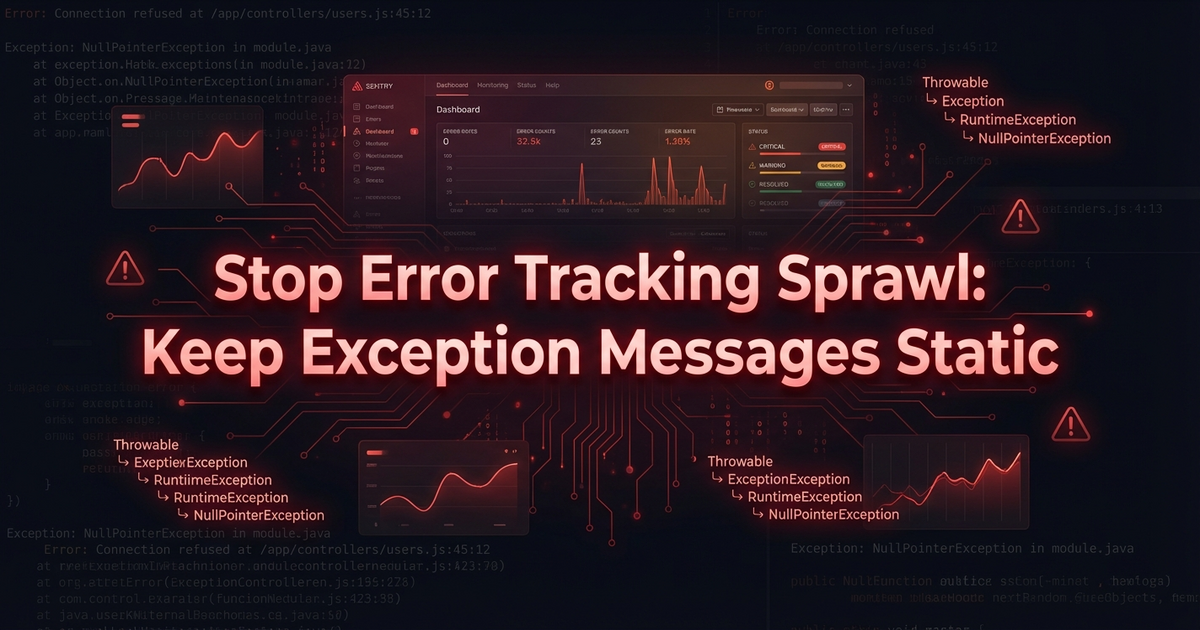
  • Stop Error Tracking Sprawl: Keep Exception Messages Static

    Stop Error Tracking Sprawl: Keep Exception Messages Static

    If you use Sentry (or any error tracking tool) with a Laravel app, you’ve probably noticed this problem: one error creates dozens of separate entries instead of grouping into one.

    The culprit is almost always dynamic data in the exception message.

    The Problem

    // ❌ This creates a NEW error entry for every different order ID
    throw new \RuntimeException(
        "Failed to sync pricing for order {$order->id}: API returned error {$response->error_code}"
    );
    

    Sentry groups issues by their stack trace and exception message. When the message changes with every occurrence — because it includes an ID, a timestamp, or an API reference code — each one becomes its own entry.

    Instead of seeing “Failed to sync pricing — thousands of occurrences” neatly grouped, you get a wall of individual entries. Good luck triaging that.

    The Fix

    Keep exception messages static. Pass the dynamic parts as context instead:

    // ✅ Static message — Sentry groups these together
    throw new SyncFailedException(
        'Failed to sync pricing: API returned error',
        previous: $exception,
        context: [
            'order_id' => $order->id,
            'error_code' => $response->error_code,
            'error_ref' => $response->error_reference,
        ]
    );
    

    The dynamic data still gets captured — you can see it in Sentry’s event detail view. But since the message is identical across occurrences, they all group under one entry.

    Using Sentry’s Context API

    If you can’t change the exception class, use Sentry’s scope to attach context before the exception is captured:

    use Sentry\State\Scope;
    
    \Sentry\configureScope(function (Scope $scope) use ($order, $response) {
        $scope->setContext('sync_details', [
            'order_id' => $order->id,
            'error_code' => $response->error_code,
        ]);
    });
    
    throw new \RuntimeException('Pricing sync failed');
    

    Or even simpler in Laravel, use report() with context in your exception handler:

    try {
        $this->syncPricing($order);
    } catch (ApiException $e) {
        report($e->setContext([
            'order_id' => $order->id,
        ]));
    }
    

    The Rule of Thumb

    If you’re interpolating a variable into an exception message, ask yourself: will this string be different for each occurrence?

    If yes — pull it out. Static messages, dynamic context. Your Sentry dashboard (and your on-call engineer at 3 AM) will thank you.

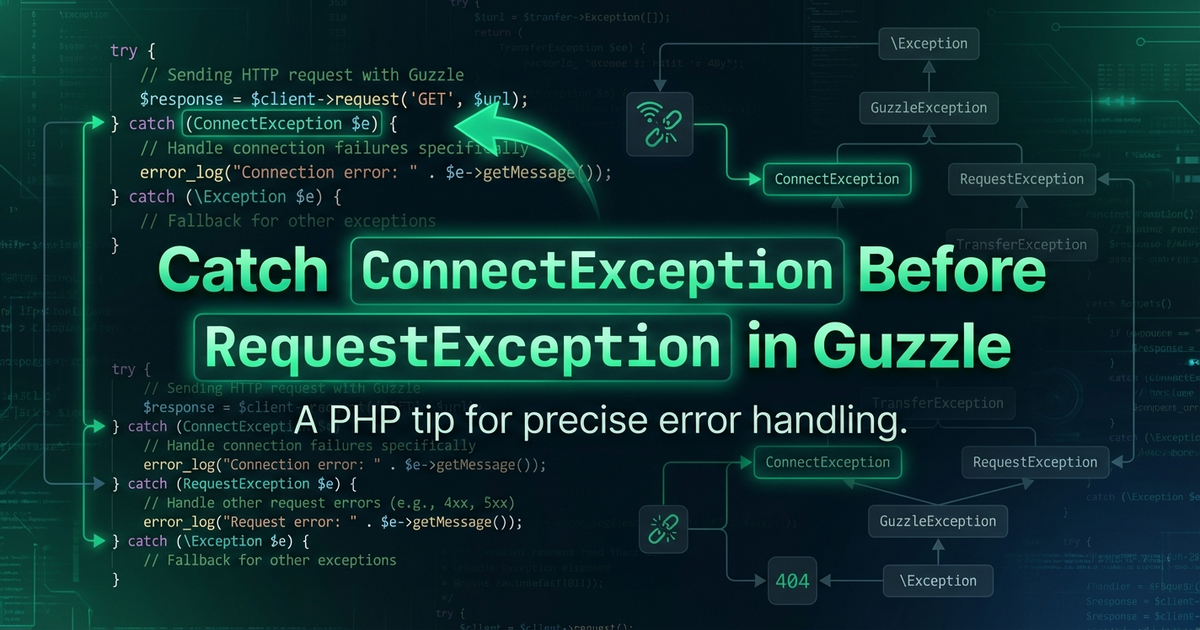
  • Catch ConnectException Before RequestException in Guzzle

    Catch ConnectException Before RequestException in Guzzle

    When you catch Guzzle exceptions, you’re probably writing something like this:

    use GuzzleHttp\Exception\RequestException;
    
    try {
        $response = $client->request('POST', '/api/orders');
    } catch (RequestException $e) {
        // Handle error
        Log::error('API call failed: ' . $e->getMessage());
    }
    

    This works, but it treats every failure the same way. A connection timeout is fundamentally different from a 400 Bad Request — and your error handling should reflect that.

    Guzzle has a clear exception hierarchy:

    • TransferException (base class)
      • RequestException (server returned a response, but it was an error)
        • ConnectException (couldn’t connect at all — timeouts, DNS failures, refused connections)

    The key insight: ConnectException extends RequestException, so if you catch RequestException first, you’ll catch both. But if you catch ConnectException first, you can handle connection issues differently:

    use GuzzleHttp\Exception\ConnectException;
    use GuzzleHttp\Exception\RequestException;
    
    try {
        $response = $client->request('POST', '/api/orders', [
            'json' => $payload,
        ]);
    } catch (ConnectException $e) {
        // The server is unreachable — retry later, don't log the payload
        throw new ServiceTemporarilyUnavailableException(
            'Could not reach external API: ' . $e->getMessage(),
            $e->getCode(),
            $e
        );
    } catch (RequestException $e) {
        // We got a response, but it was an error (4xx, 5xx)
        $statusCode = $e->getResponse()?->getStatusCode();
        Log::error("API returned {$statusCode}", [
            'body' => $e->getResponse()?->getBody()->getContents(),
        ]);
        throw $e;
    }
    

    Why does this matter? Because the recovery strategy is different:

    • Connection failures are transient — retry with backoff, mark the service as temporarily unavailable, or delete the job from the queue so it doesn’t burn through retry attempts
    • HTTP errors (4xx/5xx) might be permanent — a 422 means your payload is wrong, retrying won’t help

    In queue jobs, this distinction is especially powerful. You can catch ConnectException and throw a domain-specific exception that your job’s failed() method handles differently — maybe releasing the job back to the queue with a delay instead of marking it as permanently failed.

    Next time you’re writing a try/catch around an HTTP call, ask yourself: “Am I handling connection failures differently from response errors?” If not, add that ConnectException catch block. Your future debugging self will thank you.

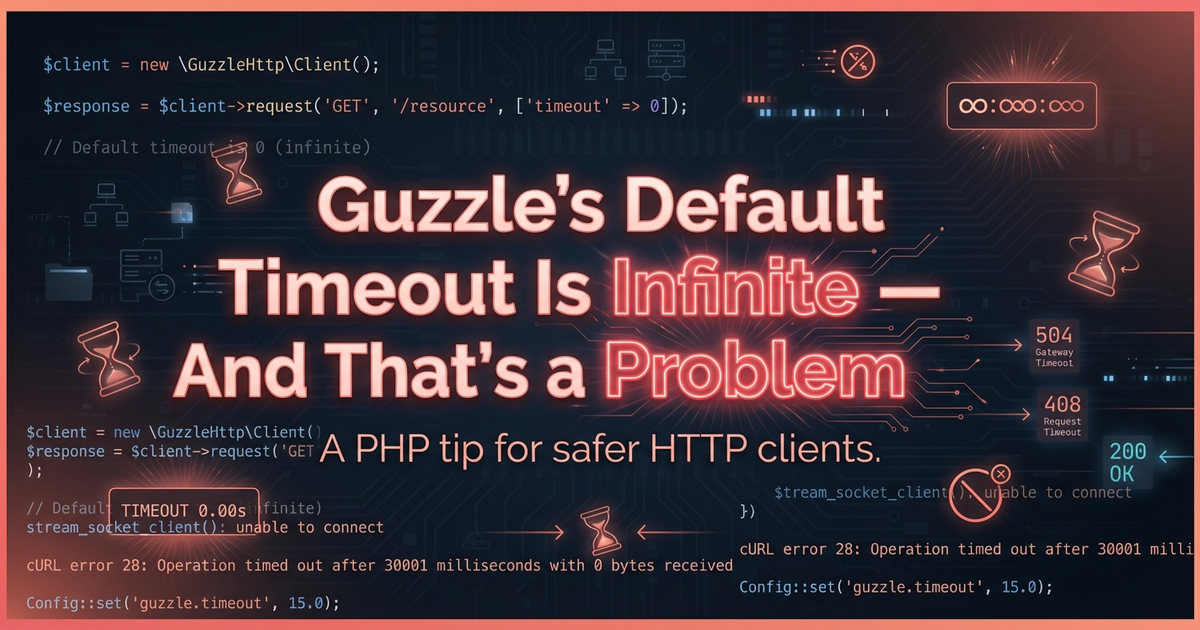
  • Guzzle’s Default Timeout Is Infinite — And That’s a Problem

    Guzzle’s Default Timeout Is Infinite — And That’s a Problem

    Here’s something that might surprise you: Guzzle’s default timeout is zero — which means wait forever.

    That’s right. If you create an HTTP client without setting a timeout, your application will happily sit there for minutes (or longer) waiting for a response that may never come. In a web request, your users see a spinner. In a queue job, you burn through worker capacity while the job just… hangs.

    I ran into this recently when debugging why queue workers kept dying. The root cause? An external API was occasionally slow to respond, and the HTTP client had no timeout configured. The job would hang until the queue worker’s own timeout killed it — by which point it had already wasted 5+ minutes of processing capacity.

    The fix was embarrassingly simple:

    use GuzzleHttp\Client;
    
    $client = new Client([
        'base_uri' => 'https://api.example.com/',
        'timeout' => 30,
        'connect_timeout' => 10,
    ]);
    

    Two options to know:

    • timeout — Total seconds to wait for a response (including transfer time)
    • connect_timeout — Seconds to wait just for the TCP connection to establish

    If you’re configuring HTTP clients in a Laravel service provider (which you should be), set these defaults at the client level:

    $this->app->bind(ApiClient::class, function ($app) {
        $http = new Client([
            'base_uri' => config('services.vendor.url'),
            'timeout' => 30,
            'connect_timeout' => 10,
        ]);
    
        return new ApiClient($http);
    });
    

    A quick audit tip: search your codebase for new Client( or wherever you instantiate Guzzle clients. If you don’t see timeout in the options array, you’ve got a ticking time bomb. Especially in queue jobs, where a hanging HTTP request can cascade into MaxAttemptsExceededException and fill your failed jobs table.

    Rule of thumb: 30 seconds for most API calls, 10 seconds for connection timeout. Adjust based on what you know about the external service, but never leave it at zero.